myHelpDesk
Technical support, reimagined.

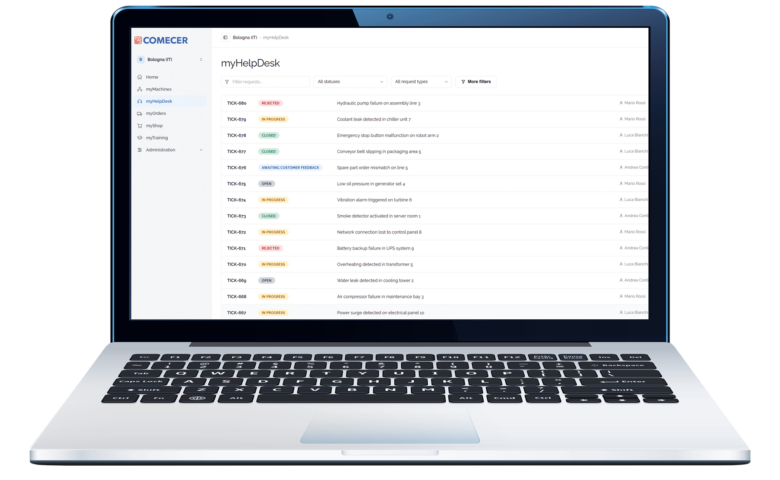
myHelpDesk is the centralized support platform designed to simplify how you request, manage and monitor technical assistance.

Create support tickets, provide the information needed for analysis, communicate with the Comecer Service Team and monitor progress from a single digital environment.

Technical support at your fingertips

myHelpDesk keeps requests, updates, attachments and conversations connected to the relevant support ticket. This creates a clearer and more transparent support experience without relying on fragmented email threads or separate communication channels.

  • Faster and more structured ticket creation
  • Clear visibility of support status
  • Direct communication within each ticket
  • Complete and accessible request history
  • Better information sharing between customer teams and Comecer
  • Less reliance on fragmented emails and calls

Easy support requests

Technical assistance made simple, connected and transparent.

Key strengths:

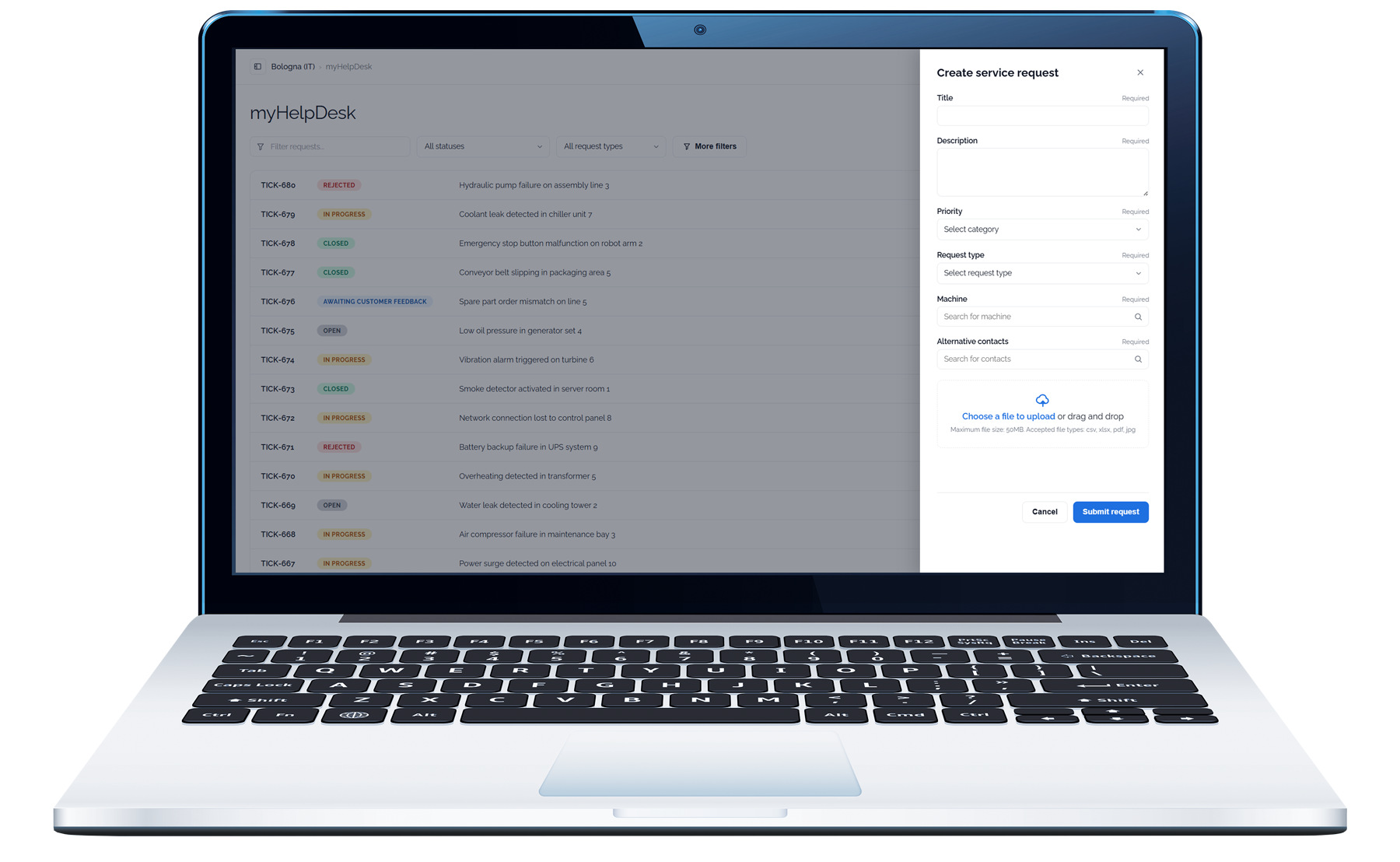
Guided ticket creation
Submit requests through a structured form designed to capture the relevant technical information from the beginning.

Different request categories
Create assistance requests, troubleshooting requests, commercial inquiries and other service-related requests.

Images and file attachments
Add photographs, screenshots, log files and supporting documents directly to the ticket.

Centralized communication
Keep information and communications associated with the same support request.

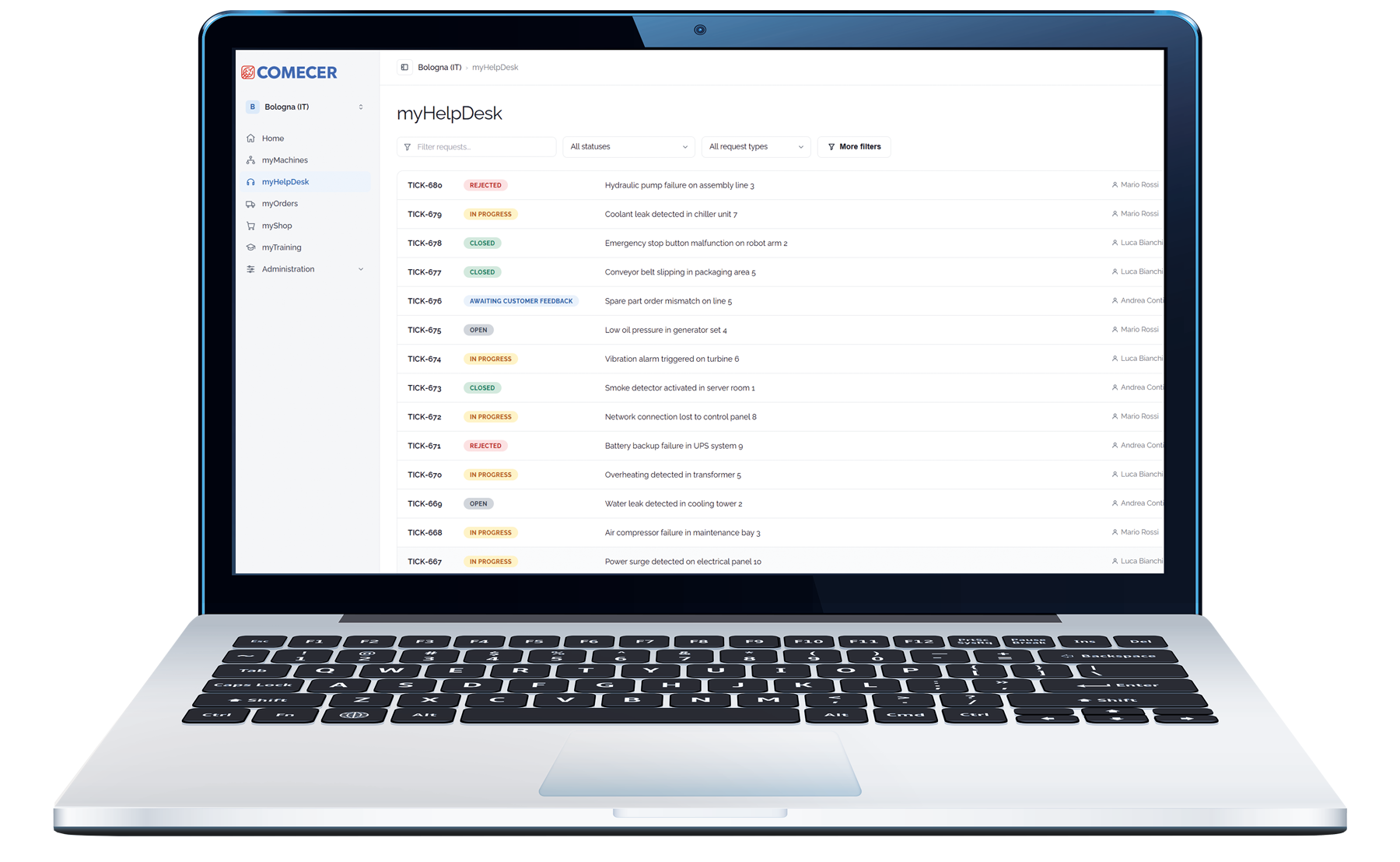
Complete ticket visibility

Follow the progress of every request through a centralized dashboard.

Key strengths:

Real-time tracking
Monitor each ticket from creation through resolution.

Status updates and notifications
Receive updates when a ticket changes or requires your attention.

Complete ticket history
Access previous requests and the related communication whenever required.

One dashboard
View open, pending and closed tickets from a single interface.

Connected support experience

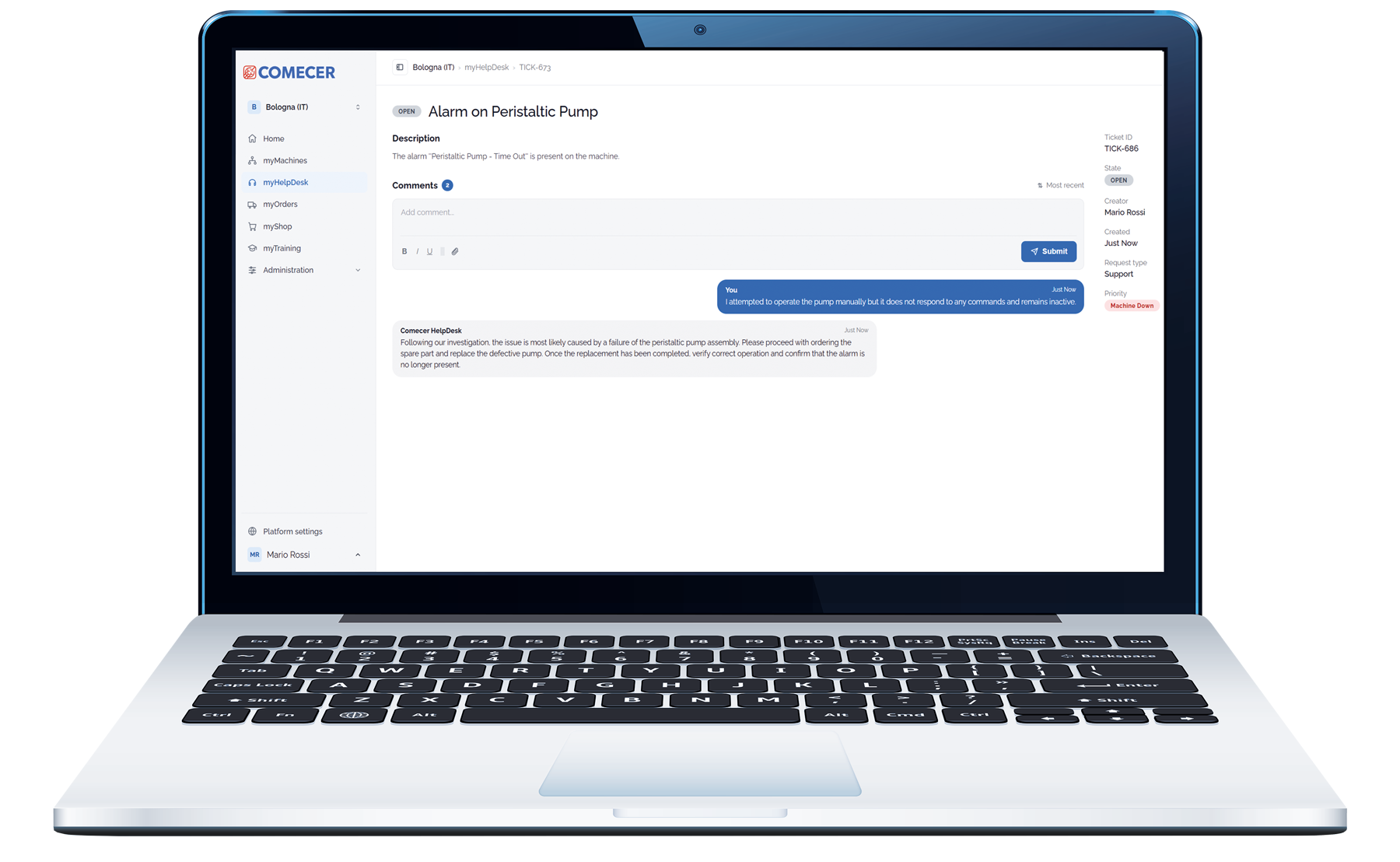
Each ticket includes a dedicated conversation thread where users can consult updates, receive responses from the Comecer Service Team and reply directly.

Keeping technical information, attachments and communication together facilitates collaboration between operators, maintenance teams and Comecer specialists.

Key strengths:

Integrated ticket conversations
Each ticket includes a chat-style conversation thread where users can view updates, receive responses from the Comecer Service Team, and reply directly within the ticket, keeping all communications organized in one place.

Better collaboration
Facilitate communication between operators, maintenance teams and the Comecer Service Team through a centralized workflow.

Reduced response delays
Complete and organized information helps avoid unnecessary clarification cycles.

Faster issue resolution
Providing complete information enables more efficient analysis and reduces unnecessary back-and-forth communication.

Download is available only for registered user.
Log in or Sign up.

Iscriviti al sito Comecer

La registrazione è per i professionisti che lavorano nei settori della Medicina Nucleare e dell’Isotecnia con tecnologie di contenimento e d’isolamento. La registrazione garantisce pieno accesso alle schede tecniche e al catalogo dei prodotti.


Ho letto e compreso l'informativa ai sensi dell'art. 13 GDPR (Informativa – Privacy Policy)


Find the Comecer products for your application and field of work