Se connecter
Log InS’inscrire
L'enregistrement est destiné aux professionnels qui travaillent avec des technologies de confinement et d'isolation et il autorise un accès total à nos fiches de données et catalogues de produits
S’inscrire
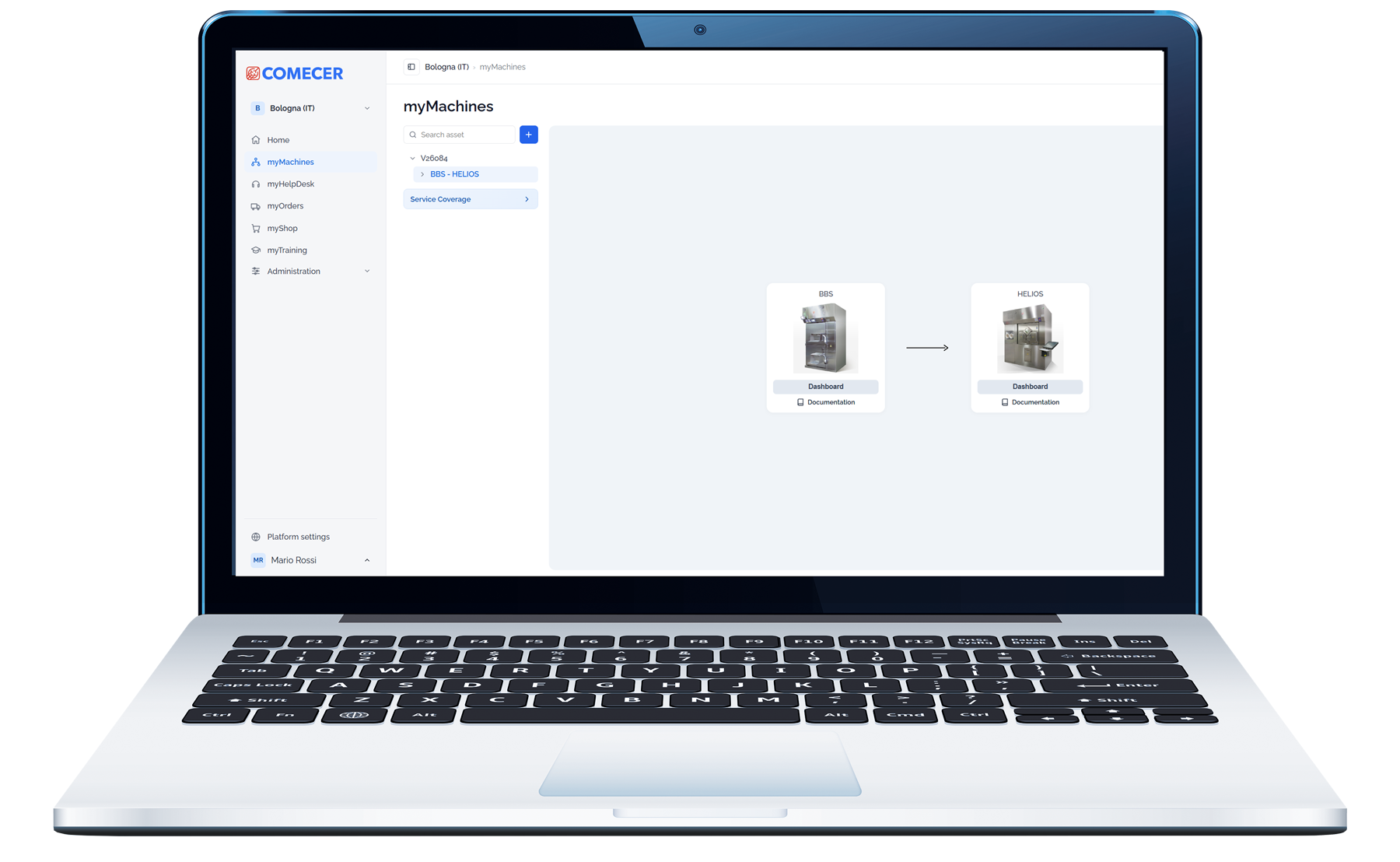
myMachines provides a structured and intuitive view of your installed Comecer equipment.
Organize and navigate your machines by production line, department or customized asset hierarchy. Quickly identify the equipment you need and access its technical information, documentation and service coverage from one centralized environment.
myMachines connects each asset with the information required throughout its lifecycle, giving operators, technicians and managers a clear digital reference point for their installed equipment.
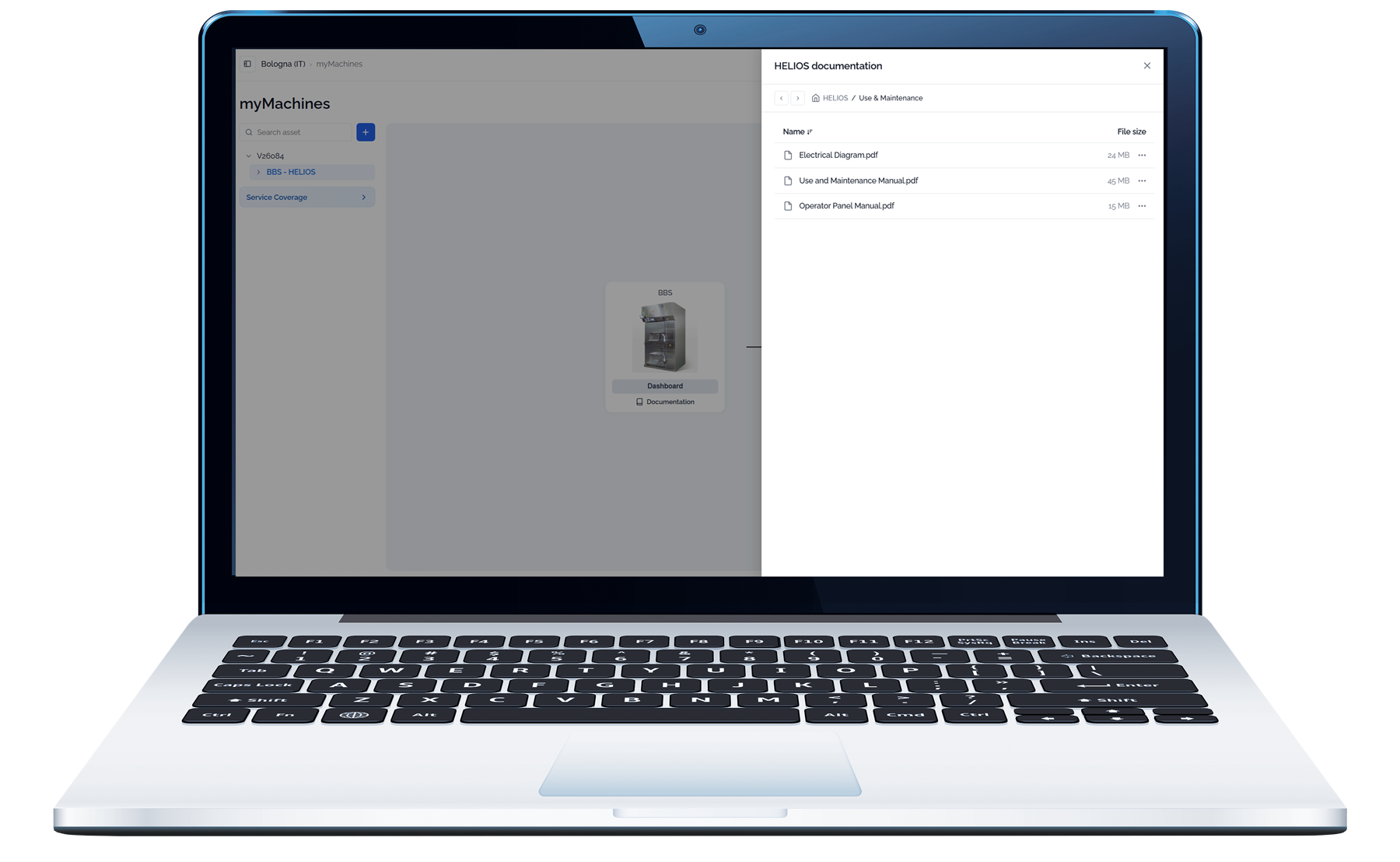
Access the technical documentation associated with each machine, including:
Documentation is organized by machine and can be searched, consulted online or downloaded for offline access. Notifications help keep users informed when new files or document revisions become available.
Complete technical library
Access manuals, electrical drawings, validation documents, certificates, procedures, and technical files for
every machine.
Always up-to-date documentation
Ensure operators and technicians always work with the latest available document revision.
Automatic update notifications
Receive notifications whenever new documentation or updated document revisions are uploaded, ensuring your team stays informed and aligned.
Easy search and retrieval
Find files quickly using folder structures, filters, and search functions.
Download and consult
View documents online or download them locally for offline access.
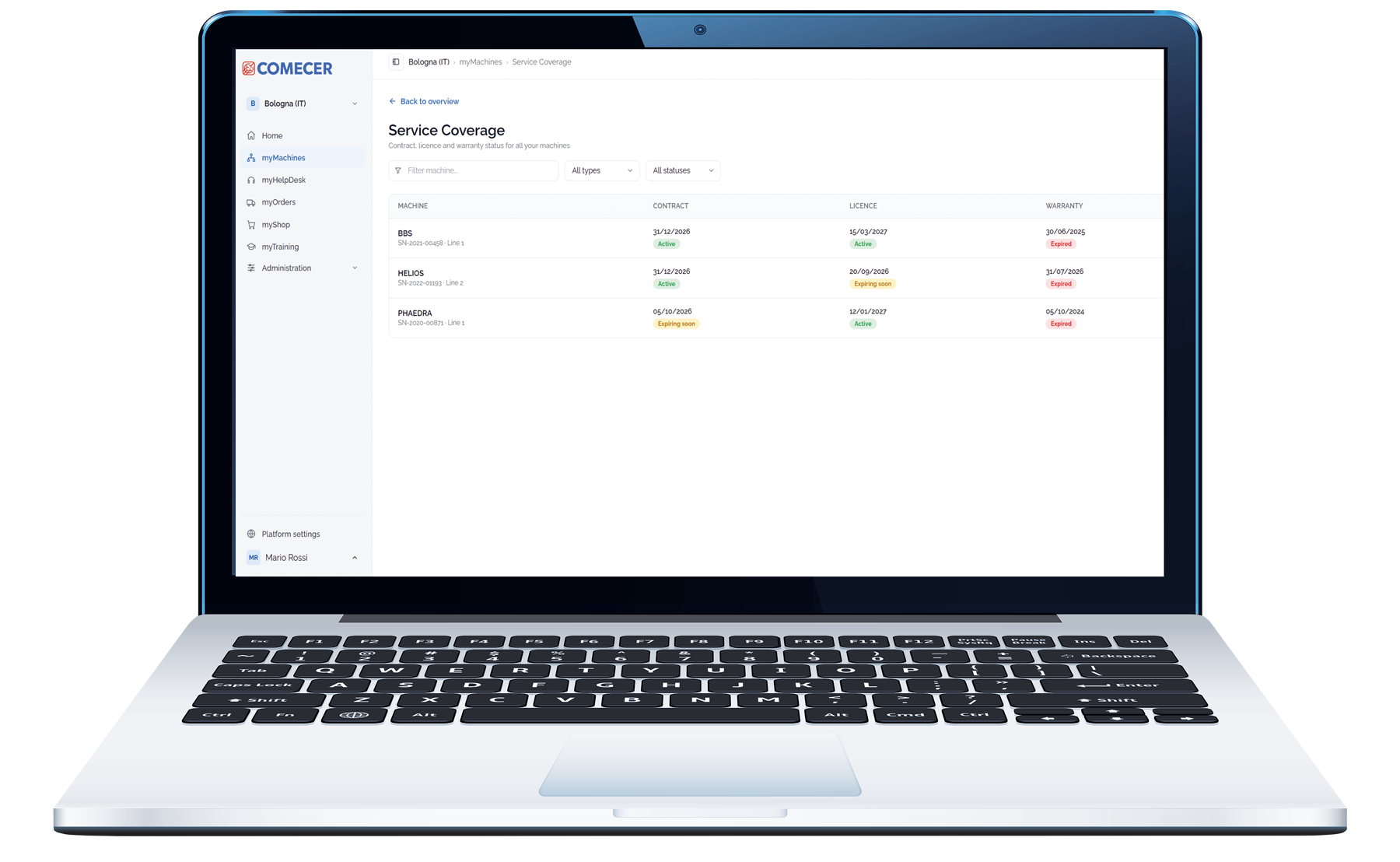
Access essential lifecycle information directly from the machine page.
Service contract status
Check whether service contracts are active, approaching expiration or expired.
Software licenses
Monitor the validity of available licenses and subscriptions.
Warranty information
Verify warranty status and relevant expiration dates.
Centralized dashboard
View critical asset information from one dedicated machine environment.
Download is available only for registered user.
Log in or Sign up.